[ AxiomCore · Documentation ]
Exam app
Run a two-question exam with an Acore UI, server-side grading and SQLite results, then see how each layer works and verify it.
Run a two-question exam built with Acore across the frontend, backend and database. Candidates choose answers in the browser. The backend calculates the score, rejects a reused attempt ID, and stores the result in SQLite.
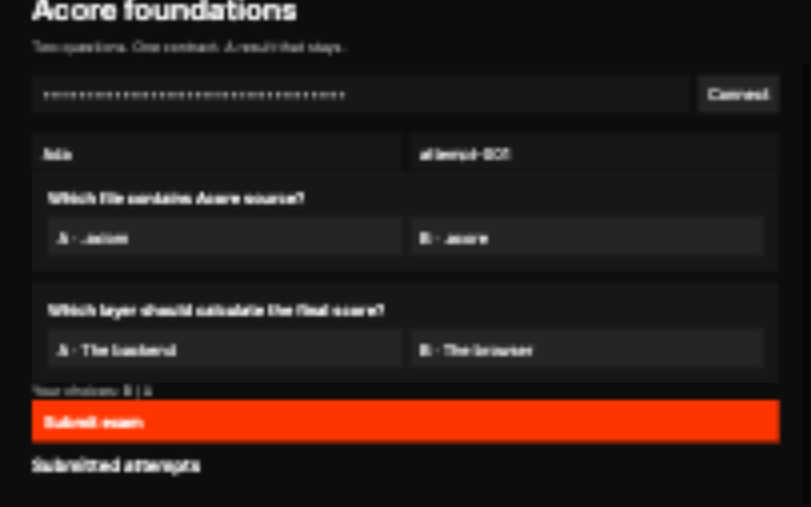
This screen was captured from the running application with a real local API.
What you will build
%20*%2F%0A%20%20%20%20--_text%3A%20%20%20%20%20%20%20%20%20%20var(--fg)%3B%0A%20%20%20%20--_text-sec%3A%20%20%20%20%20%20var(--muted%2C%20color-mix(in%20srgb%2C%20var(--fg)%2060%25%2C%20var(--bg)))%3B%0A%20%20%20%20--_text-muted%3A%20%20%20%20var(--muted%2C%20color-mix(in%20srgb%2C%20var(--fg)%2040%25%2C%20var(--bg)))%3B%0A%20%20%20%20--_text-faint%3A%20%20%20%20color-mix(in%20srgb%2C%20var(--fg)%2025%25%2C%20var(--bg))%3B%0A%20%20%20%20--_line%3A%20%20%20%20%20%20%20%20%20%20var(--line%2C%20color-mix(in%20srgb%2C%20var(--fg)%2050%25%2C%20var(--bg)))%3B%0A%20%20%20%20--_arrow%3A%20%20%20%20%20%20%20%20%20var(--accent%2C%20color-mix(in%20srgb%2C%20var(--fg)%2085%25%2C%20var(--bg)))%3B%0A%20%20%20%20--_node-fill%3A%20%20%20%20%20var(--surface%2C%20color-mix(in%20srgb%2C%20var(--fg)%203%25%2C%20var(--bg)))%3B%0A%20%20%20%20--_node-stroke%3A%20%20%20var(--border%2C%20color-mix(in%20srgb%2C%20var(--fg)%2020%25%2C%20var(--bg)))%3B%0A%20%20%20%20--_group-fill%3A%20%20%20%20var(--bg)%3B%0A%20%20%20%20--_group-hdr%3A%20%20%20%20%20color-mix(in%20srgb%2C%20var(--fg)%205%25%2C%20var(--bg))%3B%0A%20%20%20%20--_inner-stroke%3A%20%20color-mix(in%20srgb%2C%20var(--fg)%2012%25%2C%20var(--bg))%3B%0A%20%20%20%20--_key-badge%3A%20%20%20%20%20color-mix(in%20srgb%2C%20var(--fg)%2010%25%2C%20var(--bg))%3B%0A%20%20%7D%0A%3C%2Fstyle%3E%0A%3Cdefs%3E%0A%20%20%3Cmarker%20id%3D%22arrowhead%22%20markerWidth%3D%228%22%20markerHeight%3D%225%22%20refX%3D%227%22%20refY%3D%222.5%22%20orient%3D%22auto%22%3E%0A%20%20%20%20%3Cpolygon%20points%3D%220%200%2C%208%202.5%2C%200%205%22%20fill%3D%22var(--_arrow)%22%20stroke%3D%22var(--_arrow)%22%20stroke-width%3D%220.75%22%20stroke-linejoin%3D%22round%22%20%2F%3E%0A%20%20%3C%2Fmarker%3E%0A%20%20%3Cmarker%20id%3D%22arrowhead-start%22%20markerWidth%3D%228%22%20markerHeight%3D%225%22%20refX%3D%221%22%20refY%3D%222.5%22%20orient%3D%22auto-start-reverse%22%3E%0A%20%20%20%20%3Cpolygon%20points%3D%228%200%2C%200%202.5%2C%208%205%22%20fill%3D%22var(--_arrow)%22%20stroke%3D%22var(--_arrow)%22%20stroke-width%3D%220.75%22%20stroke-linejoin%3D%22round%22%20%2F%3E%0A%20%20%3C%2Fmarker%3E%0A%3C%2Fdefs%3E%0A%3Cpolyline%20class%3D%22edge%22%20data-from%3D%22UI%22%20data-to%3D%22API%22%20data-style%3D%22solid%22%20data-arrow-start%3D%22false%22%20data-arrow-end%3D%22true%22%20points%3D%22113.22249999999998%2C56.900000000000006%20113.22249999999998%2C104.9%22%20fill%3D%22none%22%20stroke%3D%22var(--_line)%22%20stroke-width%3D%221%22%20marker-end%3D%22url(%23arrowhead)%22%20%2F%3E%0A%3Cpolyline%20class%3D%22edge%22%20data-from%3D%22API%22%20data-to%3D%22Grade%22%20data-style%3D%22solid%22%20data-arrow-start%3D%22false%22%20data-arrow-end%3D%22true%22%20points%3D%22113.22249999999998%2C141.8%20113.22249999999998%2C189.8%22%20fill%3D%22none%22%20stroke%3D%22var(--_line)%22%20stroke-width%3D%221%22%20marker-end%3D%22url(%23arrowhead)%22%20%2F%3E%0A%3Cpolyline%20class%3D%22edge%22%20data-from%3D%22Grade%22%20data-to%3D%22DB%22%20data-style%3D%22solid%22%20data-arrow-start%3D%22false%22%20data-arrow-end%3D%22true%22%20points%3D%22113.22249999999998%2C226.70000000000002%20113.22249999999998%2C274.70000000000005%22%20fill%3D%22none%22%20stroke%3D%22var(--_line)%22%20stroke-width%3D%221%22%20marker-end%3D%22url(%23arrowhead)%22%20%2F%3E%0A%3Cpolyline%20class%3D%22edge%22%20data-from%3D%22DB%22%20data-to%3D%22Result%22%20data-style%3D%22solid%22%20data-arrow-start%3D%22false%22%20data-arrow-end%3D%22true%22%20points%3D%22113.22249999999998%2C311.6%20113.22249999999998%2C359.6%22%20fill%3D%22none%22%20stroke%3D%22var(--_line)%22%20stroke-width%3D%221%22%20marker-end%3D%22url(%23arrowhead)%22%20%2F%3E%0A%3Cg%20class%3D%22node%22%20data-id%3D%22UI%22%20data-label%3D%22Acore%20question%20screen%22%20data-shape%3D%22rectangle%22%3E%0A%20%20%3Crect%20x%3D%2224.81649999999999%22%20y%3D%2220%22%20width%3D%22176.81199999999998%22%20height%3D%2236.900000000000006%22%20rx%3D%220%22%20ry%3D%220%22%20fill%3D%22var(--_node-fill)%22%20stroke%3D%22var(--_node-stroke)%22%20stroke-width%3D%220.75%22%20%2F%3E%0A%20%20%3Ctext%20x%3D%22113.22249999999998%22%20y%3D%2238.45%22%20text-anchor%3D%22middle%22%20font-size%3D%2213%22%20font-weight%3D%22500%22%20fill%3D%22var(--_text)%22%20dy%3D%224.55%22%3EAcore%20question%20screen%3C%2Ftext%3E%0A%3C%2Fg%3E%0A%3Cg%20class%3D%22node%22%20data-id%3D%22API%22%20data-label%3D%22Typed%20API%20and%20validation%22%20data-shape%3D%22rectangle%22%3E%0A%20%20%3Crect%20x%3D%2220%22%20y%3D%22104.9%22%20width%3D%22186.44499999999996%22%20height%3D%2236.900000000000006%22%20rx%3D%220%22%20ry%3D%220%22%20fill%3D%22var(--_node-fill)%22%20stroke%3D%22var(--_node-stroke)%22%20stroke-width%3D%220.75%22%20%2F%3E%0A%20%20%3Ctext%20x%3D%22113.22249999999998%22%20y%3D%22123.35000000000001%22%20text-anchor%3D%22middle%22%20font-size%3D%2213%22%20font-weight%3D%22500%22%20fill%3D%22var(--_text)%22%20dy%3D%224.55%22%3ETyped%20API%20and%20validation%3C%2Ftext%3E%0A%3C%2Fg%3E%0A%3Cg%20class%3D%22node%22%20data-id%3D%22Grade%22%20data-label%3D%22Server-side%20grading%22%20data-shape%3D%22rectangle%22%3E%0A%20%20%3Crect%20x%3D%2232.22649999999997%22%20y%3D%22189.8%22%20width%3D%22161.99200000000002%22%20height%3D%2236.900000000000006%22%20rx%3D%220%22%20ry%3D%220%22%20fill%3D%22var(--_node-fill)%22%20stroke%3D%22var(--_node-stroke)%22%20stroke-width%3D%220.75%22%20%2F%3E%0A%20%20%3Ctext%20x%3D%22113.22249999999998%22%20y%3D%22208.25%22%20text-anchor%3D%22middle%22%20font-size%3D%2213%22%20font-weight%3D%22500%22%20fill%3D%22var(--_text)%22%20dy%3D%224.55%22%3EServer-side%20grading%3C%2Ftext%3E%0A%3C%2Fg%3E%0A%3Cg%20class%3D%22node%22%20data-id%3D%22DB%22%20data-label%3D%22SQLite%20submission%22%20data-shape%3D%22rectangle%22%3E%0A%20%20%3Crect%20x%3D%2237.78399999999998%22%20y%3D%22274.70000000000005%22%20width%3D%22150.877%22%20height%3D%2236.900000000000006%22%20rx%3D%220%22%20ry%3D%220%22%20fill%3D%22var(--_node-fill)%22%20stroke%3D%22var(--_node-stroke)%22%20stroke-width%3D%220.75%22%20%2F%3E%0A%20%20%3Ctext%20x%3D%22113.22249999999998%22%20y%3D%22293.15000000000003%22%20text-anchor%3D%22middle%22%20font-size%3D%2213%22%20font-weight%3D%22500%22%20fill%3D%22var(--_text)%22%20dy%3D%224.55%22%3ESQLite%20submission%3C%2Ftext%3E%0A%3C%2Fg%3E%0A%3Cg%20class%3D%22node%22%20data-id%3D%22Result%22%20data-label%3D%22Result%20list%20in%20the%20UI%22%20data-shape%3D%22rectangle%22%3E%0A%20%20%3Crect%20x%3D%2241.11849999999997%22%20y%3D%22359.6%22%20width%3D%22144.20800000000003%22%20height%3D%2236.900000000000006%22%20rx%3D%220%22%20ry%3D%220%22%20fill%3D%22var(--_node-fill)%22%20stroke%3D%22var(--_node-stroke)%22%20stroke-width%3D%220.75%22%20%2F%3E%0A%20%20%3Ctext%20x%3D%22113.22249999999998%22%20y%3D%22378.05%22%20text-anchor%3D%22middle%22%20font-size%3D%2213%22%20font-weight%3D%22500%22%20fill%3D%22var(--_text)%22%20dy%3D%224.55%22%3EResult%20list%20in%20the%20UI%3C%2Ftext%3E%0A%3C%2Fg%3E%0A%3C%2Fsvg%3E)
Diagram source
flowchart TD
  UI[Acore question screen] --> API[Typed API and validation]
  API --> Grade[Server-side grading]
  Grade --> DB[SQLite submission]
  DB --> Result[Result list in the UI]
The browser sends answers, not a score. The server validates and grades them and inserts one submission; a successful submission refreshes the results list.
This is an untimed learning application with one local development identity, one fixed exam, and results shared within that development tenant. It has no registration, instructor or candidate permissions, publishing workflow or production session issuance. Do not use it to assess real candidates without adding those requirements and testing their enforcement.
Prerequisites
- Axiom CLI 0.149.1 on macOS arm64.
- Web UI host 0.6.12:
axiom ui host install --target web --version 0.6.12 --non-interactive. git, a browser and two terminals, with ports 8082 and 5174 free.
No PostgreSQL server or extractor is needed.
1. Start the backend
git clone --depth 1 https://github.com/AxiomCore/AxiomCore.git
cd AxiomCore/examples/documentation/exam-app
unset DATABASE_URL
axiom check backend/main.acore
axiom run backend/main.acore --port 8082Valid backend contract: backend/main.acoreaxiom run then validates the database, applies schema version 1.0.0,
starts the API and prints a development API key. Keep it running and keep
the key local. Unsetting DATABASE_URL stops the CLI from using an unrelated
database from your shell.
2. Start the frontend
In a second terminal, in the same exam-app directory:
axiom run frontend/main.acore --target web --port 5174Open http://127.0.0.1:5174, paste the key and select Connect. The app
loads the questions and any stored results.
3. Submit an attempt
- Enter a synthetic name, such as Ada.
- Keep the attempt ID
attempt-001or enter another unique ID. - Choose B for the source-file question and A for the grading question.
- Select Submit exam. The results list shows
2 / 2. - Submit the same ID again. The server returns the declared duplicate failure.
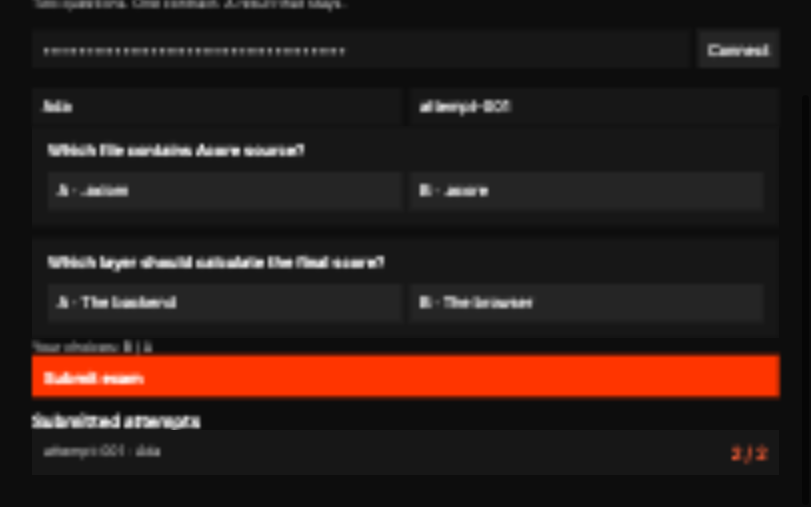
The result in this screenshot came from the backend and was stored in SQLite. A new attempt ID with different choices gives a score of zero or one.
4. Confirm persistence
Reload the page and reconnect. Then stop the backend with Ctrl-C, start it again with the same command, and reconnect. The result is still there.
How the backend grades
The backend owns grading. The browser sends an attempt ID, a name and two
choices; it cannot send a score or choose a database tenant. Every endpoint
requires the development key in the apikey header.
| Endpoint | Behavior |
|---|---|
GET /questions | Returns the two public questions and their options |
POST /submissions | Validates, grades, inserts and returns the stored result |
GET /results | Lists up to 100 results in the development tenant |
{"attemptId":"attempt-001","name":"Ada","first":"B","second":"A"}The contract checks the attempt ID (1 to 40 letters, digits, _ or -), the
name (1 to 80 characters) and each choice (A or B). The submit action then
trims the name, rejects it if nothing is left, grades the answers and stores
the result:
pure fn grade(first: String, second: String): String = first == "B" && second == "A" ? "2" : first == "B" || second == "A" ? "1" : "0"

// Inside the submit action's managed block:
let name = Input.answers.name.trim()
guard name.length > 0 else fail Failures.invalidName({message: "Enter your name"})
let score = grade(Input.answers.first, Input.answers.second)
let result = await Resources.submissions.create(input: {
  id: Input.answers.attemptId, name: name,
  first: Input.answers.first, second: Input.answers.second, score: score, total: "2"
})
return resultbackend/main.acore, the entry file, implements the resource with a typed
insert and maps the primary-key constraint to the duplicate failure. No
hand-written SQL is needed.
| Result | HTTP status |
|---|---|
| Valid submission | 200 |
Missing key header, invalid choice, or an extra score field | 400 |
| Invalid development key | 401 |
| Name that is blank after trimming | 422 |
| Attempt ID already used | 409 |
A successful submission invalidates the exam:results cache identity, which
refreshes the results query in the open page.
How the data is stored
database/schema.acore owns the schema identity and version. Each row stores
the answers with the backend-calculated score; the questions live in the
backend source.
| Column | Meaning |
|---|---|
tenant | Trusted development tenant, supplied by the backend |
id | The attempt ID, unique within the tenant |
name | Trimmed display name |
first, second | Validated A or B choices |
score, total | Portable decimal strings calculated by the backend |
table submissions(strict: true) {
  tenant: Sqlite.Text()
  id: Sqlite.Text()
  name: Sqlite.Text()
  first: Sqlite.Text()
  second: Sqlite.Text()
  score: Sqlite.Text()
  total: Sqlite.Text()
  primaryKey(columns: [.tenant, .id], sqlName: "submissions_pkey")
}
The primary key prevents a second result for the same tenant and attempt. It is a uniqueness rule, not a resumable or exactly-once submission protocol. SQLite tenant scoping comes from the typed application operations; it is not PostgreSQL row-level security.
Inspect the database from the example root. axiom run on the schema opens
the SQL console and prints the SQLite file location; exit with \q.
axiom database status database/schema.acore
axiom database history database/schema.acore
axiom run database/schema.acoreSELECT id, name, score, total FROM submissions;To make a compatible change, stop the backend, set the project version in
database/schema.acore to 1.0.1, and add note: Sqlite.Text(nullable: true)
after total. Then migrate and compare:
axiom database migrate database/schema.acore
axiom database diff database/schema.acore --from 1.0.0 --to 1.0.1
The API does not need to expose note; the backend's models and response
projections still select only their declared fields. Restart the backend before
you test again. For several exams, add versioned exam and question
relationships and application-owned candidate identities, and keep historical
question versions so stored scores stay meaningful. See
database contracts for migration and rollback limits.
How the UI connects
The frontend calls the backend through its contract, not hand-written URLs and decoders. Its manifest selects the contract:
type = "frontend"
targets = ["web"]

[contracts.exam]
artifact = "../backend/.axiom/contracts/backend.axiom"
baseUrl = "http://127.0.0.1:8082"
audience = "web"
operations = ["questions", "results", "submit"]
artifact must be a manifest-relative path or a URL. operations is optional:
omit it to allow every operation the audience may call, or keep the list sorted
and unique. The backend's response projections decide which fields the UI can
read.
use contract Exam from "exam" audience "web"
// Inside page Home:
query questions = Exam.questions(apiKey: apiKey) when apiKey.length > 0
query results = Exam.results(apiKey: apiKey) when apiKey.length > 0
mutation submission = Exam.submit(apiKey: apiKey, answers: {
  attemptId: attemptId, name: name, first: first, second: second
})
Queries wait until the app has a key. Each question card emits a typed choice event, and page state keeps the two answers. Submit exam stays disabled while a field is empty or a request is pending; the page awaits the mutation and shows any returned error. A disabled button is not a validation or authorization boundary: the backend checks every request. Reloading loses an unsent draft but keeps stored submissions.
Inputs have accessible labels, choice buttons use their visible option text, pending and error states appear as text, and controls stack at compact widths. Check keyboard and target-specific behavior before going beyond the checked browser path. For inherited form rules and field-level failures, see the task app, Acore UI and app lifecycle.
Verify behavior
Use a fresh attempt ID for each successful submission.
| First and second answer | Expected score |
|---|---|
| A, B | 0 / 2 |
| A, A | 1 / 2 |
| B, B | 1 / 2 |
| B, A | 2 / 2 |
Then send direct requests for every row of the HTTP status table above, and
confirm a 409 adds no row. Set EXAM_API_KEY in your shell to the printed key;
do not commit it.
curl -sS http://127.0.0.1:8082/submissions \
  -H "apikey: $EXAM_API_KEY" \
  -H 'content-type: application/json' \
  -d '{"attemptId":"request-001","name":"Ada","first":"B","second":"A"}'
The response holds the stored attempt, the answers, score "2" and total
"2". Repeat it to see the duplicate failure. Confirm persistence from the
SQLite rows and migration history; an in-memory preview or a mock does not
prove it.
Troubleshooting
| Symptom | Check |
|---|---|
| Questions do not load | Backend process, key, the manifest's baseUrl, and the allowed frontend origin |
| Incompatible host | Install web UI host 0.6.12 |
| Attempt already submitted | Use a new ID; a duplicate never creates another row |
| UI no longer compiles after a backend edit | Rebuild the backend entry file; check the selected operations and projections |
After you change an imported backend file, stop the backend, run
axiom build backend/main.acore, and restart both processes so the UI uses the
updated contract. A schema change also needs a new database version.
Extend the app deliberately
The lesson has no timed exams, separate instructor access, production login or multi-exam question management. Before you add them, define and test server-side authorization, trusted time, ownership, historical exam versions and submission recovery. A browser countdown or hidden control enforces none of these. Tie each new guarantee to the target you actually tested.
Clean up
Stop both processes with Ctrl-C. The SQLite data stays inside the clone; delete the clone when you no longer need it.